 Vidwall Hub 2.0.0
Vidwall Hub 2.0.0
Vidwall Hub 2.0.0
Vidwall Hub 2.0.0
Vidwall Hub 2.0.0
minimum OS requirement: macOS Tahoe 26+

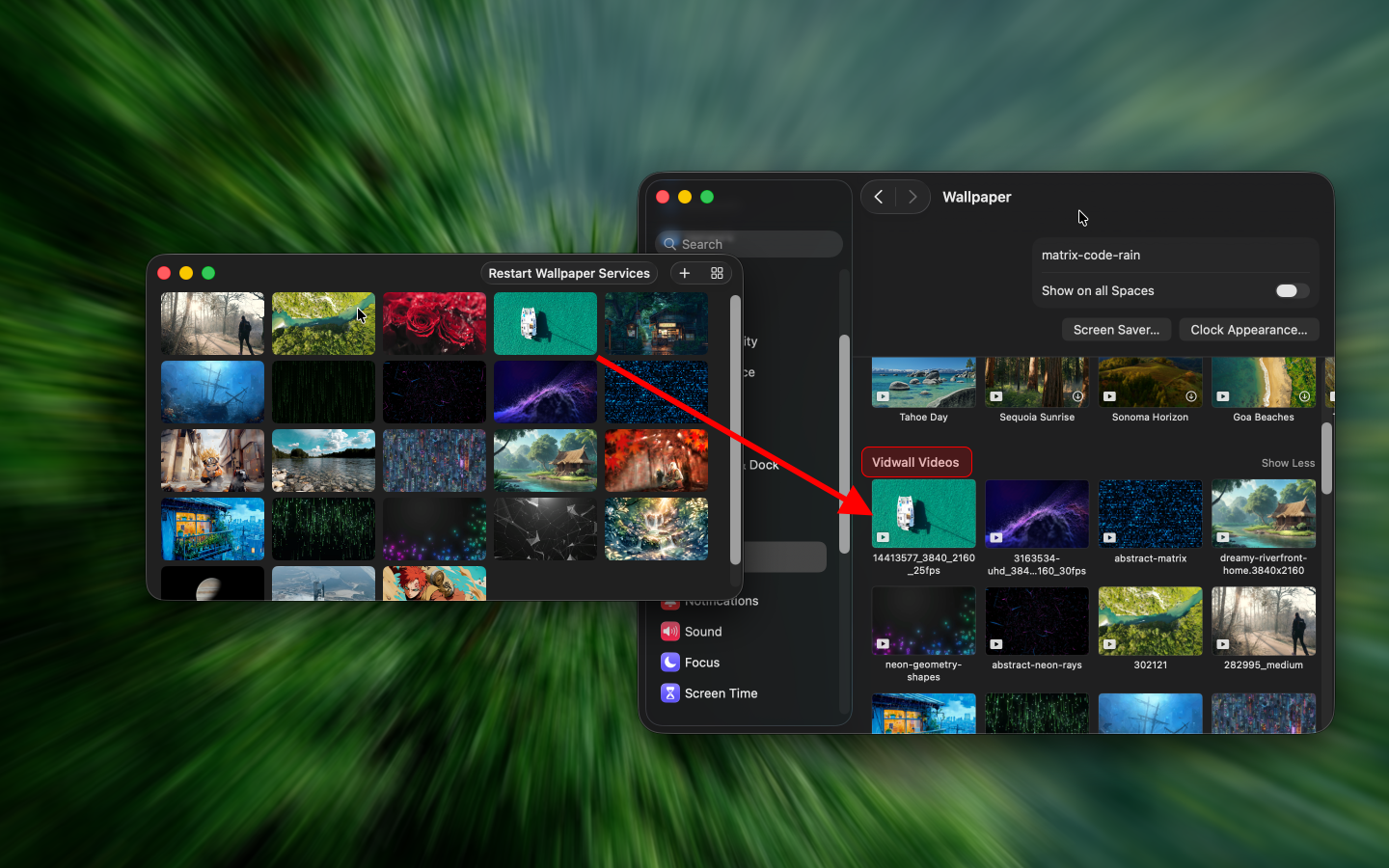
Vidwall Hub is a tool that lets you import videos (mp4, mov, m4v) into the system wallpaper service and use them as lock screen animations in System Settings → Wallpaper. It supports macOS 26 and macOS 27.
When trying to implement both dynamic wallpapers and dynamic lock screens through the Vidwall app, this feature could not be realized due to macOS sandbox restrictions. Therefore, I created a standalone version of the tested code and provide it for free, as a complement to Vidwall. macOS does not provide a public API for setting a dynamic lock screen. Vidwall Hub registers videos in the system Aerial wallpaper catalog and writes the current wallpaper configuration; after import you can also view or switch them in System Settings.
# Installation (automatically installs to /Applications)
$ brew install --cask jaywcjlove/tap/vidwall-hub
Vidwall Hub allows activating the tool via URL and automatically importing a video based on the file path parameter in the URL.
vidwallhub://open?file=/file/to/path/video.mp4
macOS has no public API for setting a dynamic lock screen. Vidwall Hub still uses the system Aerial wallpaper path (user-level, no administrator privileges). The directories are the same as on macOS 26:
~/Library/Application Support/com.apple.wallpaper/aerials/manifest/entries.json
~/Library/Application Support/com.apple.wallpaper/aerials/videos/<UUID>.mov
~/Library/Application Support/com.apple.wallpaper/aerials/thumbnails/<UUID>.png
~/Library/Application Support/com.apple.wallpaper/Store/Index.plist
Import only patches Vidwall’s own category and asset entries. It does not rewrite the entire system Aerial catalog.
Shared workflow:
entries.json (parse only; do not rewrite the whole file).Vidwall Videos category and its subcategory.asset for each imported video and patch it into entries.json (video URLs use the file:// scheme).Store/Index.plist so the imported assetID is com.apple.wallpaper.choice.aerials.WallpaperAgent and the related Aerial extensions so the system reloads the assets.macOS 26:
.mov: Copy as-is to aerials/videos/<UUID>.mov..mp4 / .m4v: Export to .mov with AVAssetExportPresetPassthrough (no re-encode; full duration is kept).macOS 27:
WallpaperAerialsExtension on macOS 27 requires HEVC temporal scalability (tscl / tsas). Typical user videos do not include these sample groups, so the lock screen freezes or goes black after the first unlock.
.mov.Wallpaper extension, so drag-and-drop does not crash Wallpaper settings.Resource usage notes:
.mp4 / .m4v only..mov files are still copied.entries.json, Index.plist, and the media files (videos/thumbnails): import, update, and delete.macOS 15 is not supported yet
/Library/Application Support/com.apple.idleassetsd/Customer/4KSDR240FPS
/Library/Application Support/com.apple.idleassetsd/Customer/entries.json




